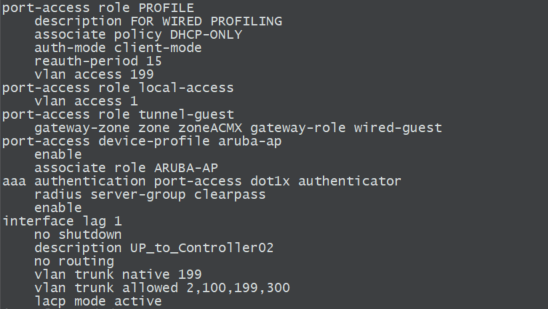
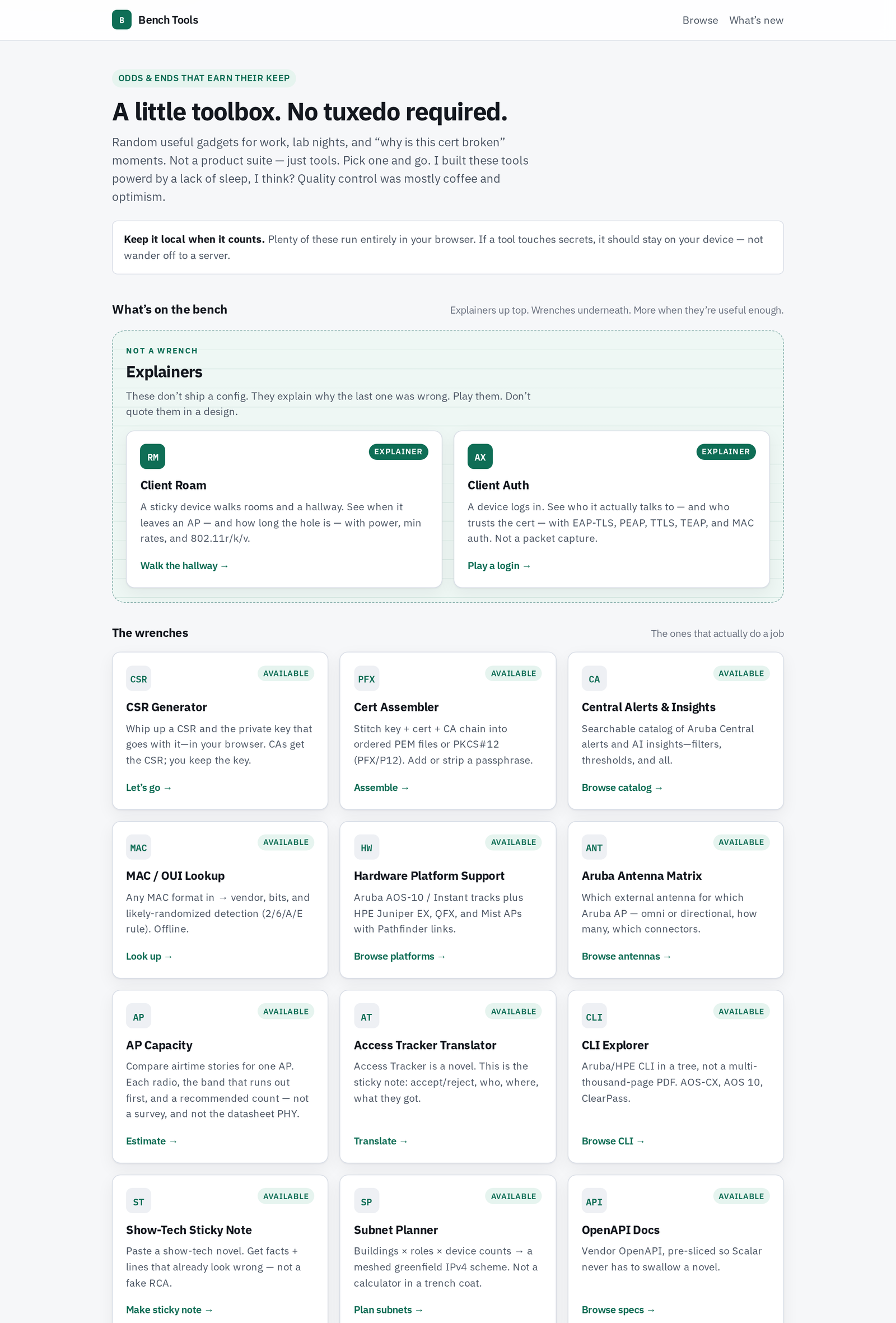
Bench Tools is a small public site of static lab utilities: certificate helpers, Aruba and Juniper catalogs, a show-tech skimmer, and a couple of interactive explainers. The homepage puts it plainly: “Random useful gadgets for work, lab nights, and ‘why is this cert broken’ moments. Not a product suite — just tools.”
Every tool on the bench was customer-requested. Each one exists because it answers a question I get asked often enough that a page beats retyping the answer.
This post covers three things: what stays on your machine, what the explainers are (and are not), and which tools run on refreshed vendor data versus pure math. It highlights five tools and then lists the rest so nothing is missing.
Security: inputs stay in the browser
These are static pages. There is no backend, no account, and no upload endpoint. Whatever you type, paste, or drop stays on the client: switch dumps, Access Tracker exports, MAC lists, private keys, CSRs, cert chains. No tool input leaves the browser. Refresh the tab and it is gone.
The site’s own line on this: “Keep it local when it counts. Plenty of these run entirely in your browser. If a tool touches secrets, it should stay on your device — not wander off to a server.”
How that holds up in practice:
- The only network fetches the tools make are same-origin reads of their own data files (CLI trees, platform lists, the OUI registry). Nothing posts your input anywhere.
- The site’s Content-Security-Policy limits
connect-srcto the site itself, so a page can’t quietly call a third-party API. Show-Tech goes further withconnect-src 'none'. - The CSR Generator mints the key pair in the tab with a JavaScript library served by the site. The CA gets the CSR. You keep the key.
- OpenAPI Docs blocks live requests. Scalar’s Test Request builds the call and the code snippet, but it won’t send anything off-site.
Explainers are not answers
The top band on the homepage is labeled Not a wrench:
These don’t ship a config. They explain why the last one was wrong. Play them. Don’t quote them in a design.
Client Auth and Client Roam are teaching tools. They show how a topic behaves so the conversation starts in the right place. They are not an engineering answer, not a design recommendation, and not a TAC recommendation. If a design decision rides on it, validate with a packet capture, an RF survey, vendor documentation, and your own lab.
AP Capacity and Show-Tech take the same position from the wrench side: AP Capacity is “an airtime story, not a design.” Show-Tech is “still not TAC. Still not an RCA.”
Snapshots vs calculators
Most tools are rebuilt on a regular schedule. Their data is generated from vendor sources and keeps changing as the vendors change things. Others are pure logic and have no catalog to go stale.
| Type | Tools | What that means |
|---|---|---|
| Snapshot of a moving vendor catalog | Hardware Platform Support, Aruba Antenna Matrix, CLI Explorer, OpenAPI Docs, Central Alerts & Insights, MAC / OUI Lookup | Data is built from vendor or registry sources and refreshed. Where a page shows a snapshot date, check it, and confirm on the vendor page before you order or upgrade. |
| Calculator on curated data | AP Capacity, Access Tracker Translator | The math or parsing is local. A small reference set (AP radio models, a ClearPass RADIUS dictionary) ships with the page and gets refreshed. |
| Pure calculator / local utility | CSR Generator, Cert Assembler, Subnet Planner, Show-Tech Sticky Note | Deterministic logic or keyword parsing on what you provide. There’s no vendor catalog behind them. |
| Explainer | Client Auth, Client Roam | Teaching simulations. Not a calculator and not an answer. |
Highlighted tools
Client Auth (explainer)
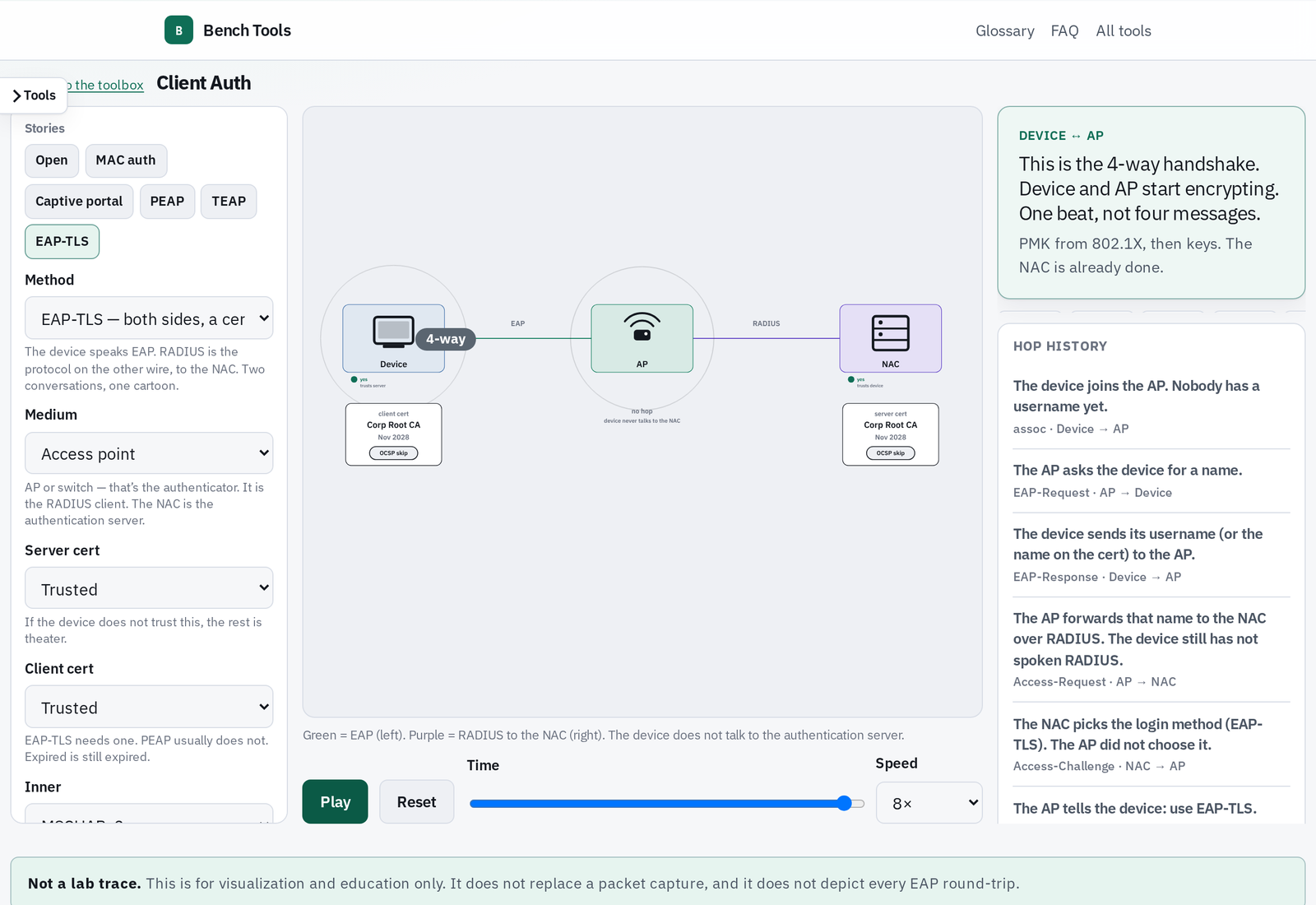
Client Auth plays a login across two wires: EAP from the device to the authenticator (AP or switch), and RADIUS from the authenticator to the NAC. Pick a story (Open, MAC auth, captive portal, PEAP, TEAP, EAP-TLS) and adjust the server cert, client cert, inner method, password, and OCSP to see where a login stops.
The key point it makes visible: the device never talks to the authentication server directly. The page’s own banner says it is for visualization and education only and does not replace a packet capture.
Client Roam (explainer)
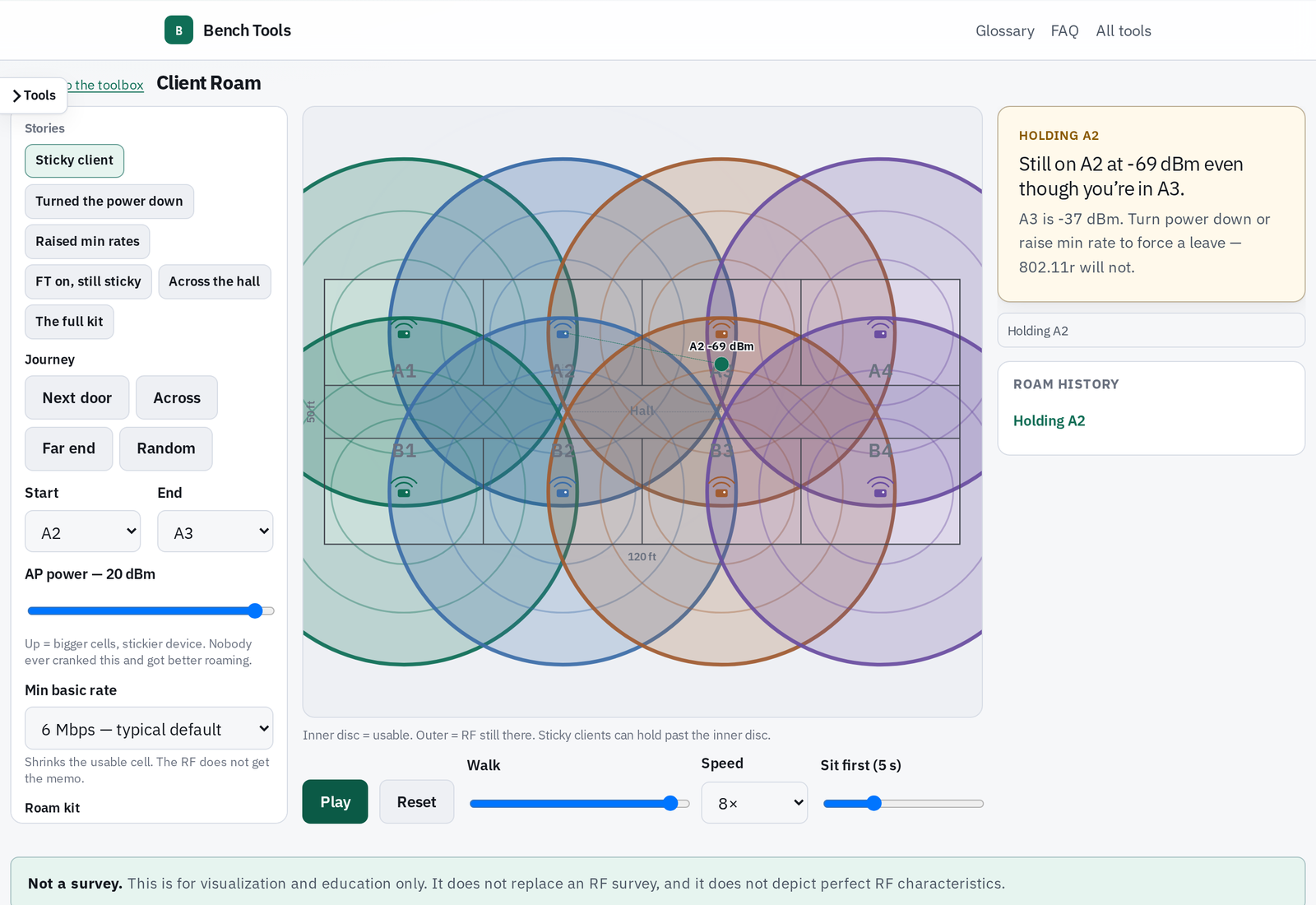
Client Roam walks a sticky device through rooms and a hallway and shows when it leaves an AP and how long the gap lasts. You control AP power, minimum basic rate, 802.11r/k/v, and 802.1X vs PSK.
Use it to explain why more power usually makes roaming worse, and why 802.11r shortens the gap but doesn’t make a client less clingy. It is not an RF survey.
AP Capacity
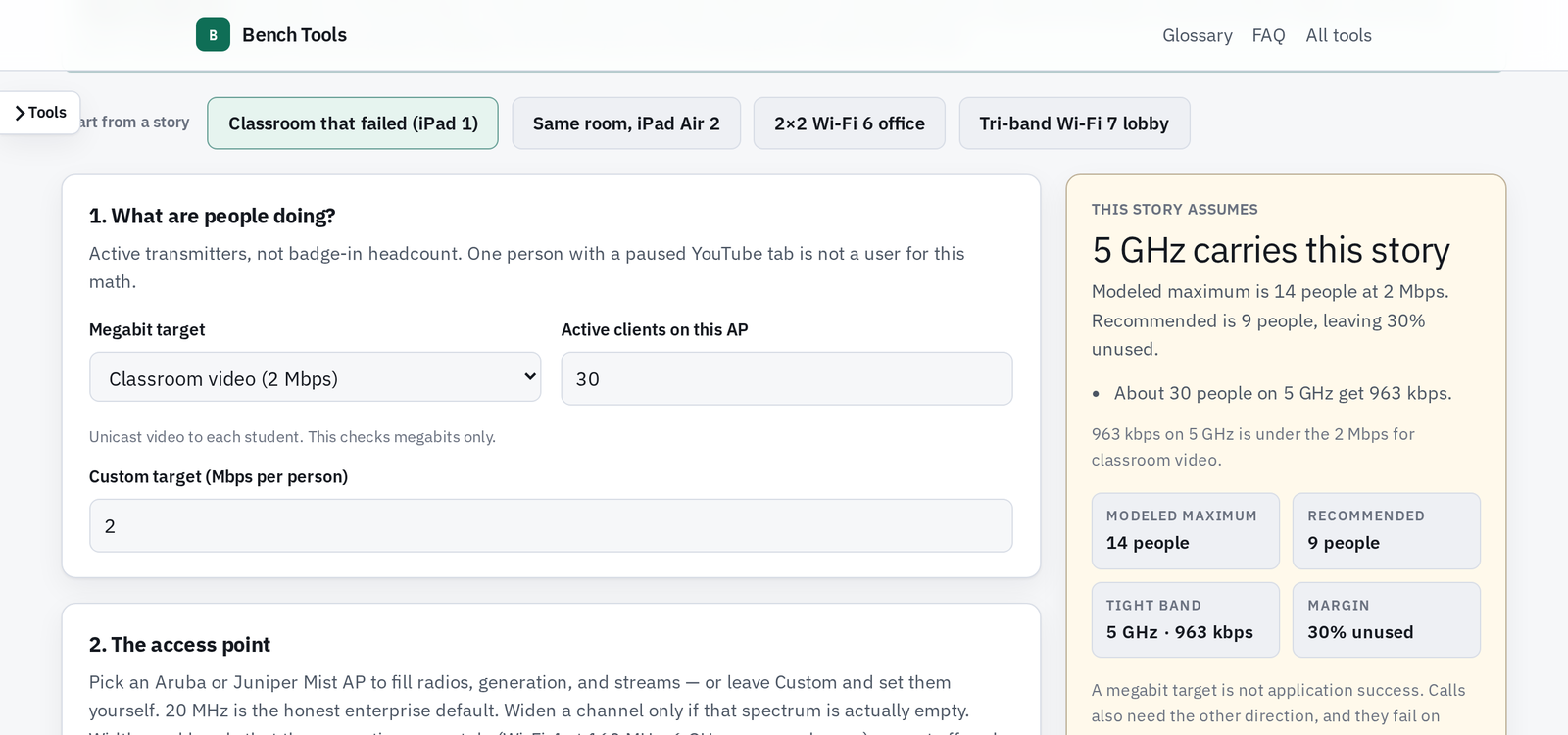
AP Capacity answers “how many users can this AP support?” with an airtime story instead of a single number. Choose an Aruba or Juniper Mist AP (or set the radios yourself), a device type, a per-user Mbps target, and neighbor conditions. The card shows each radio, the band that runs out first, a modeled maximum, and a smaller recommended count that leaves spare airtime.
The page says it outright: the real answer is “it depends.” Compare stories with it. Don’t build to its headcount.
Hardware Platform Support (catalog)
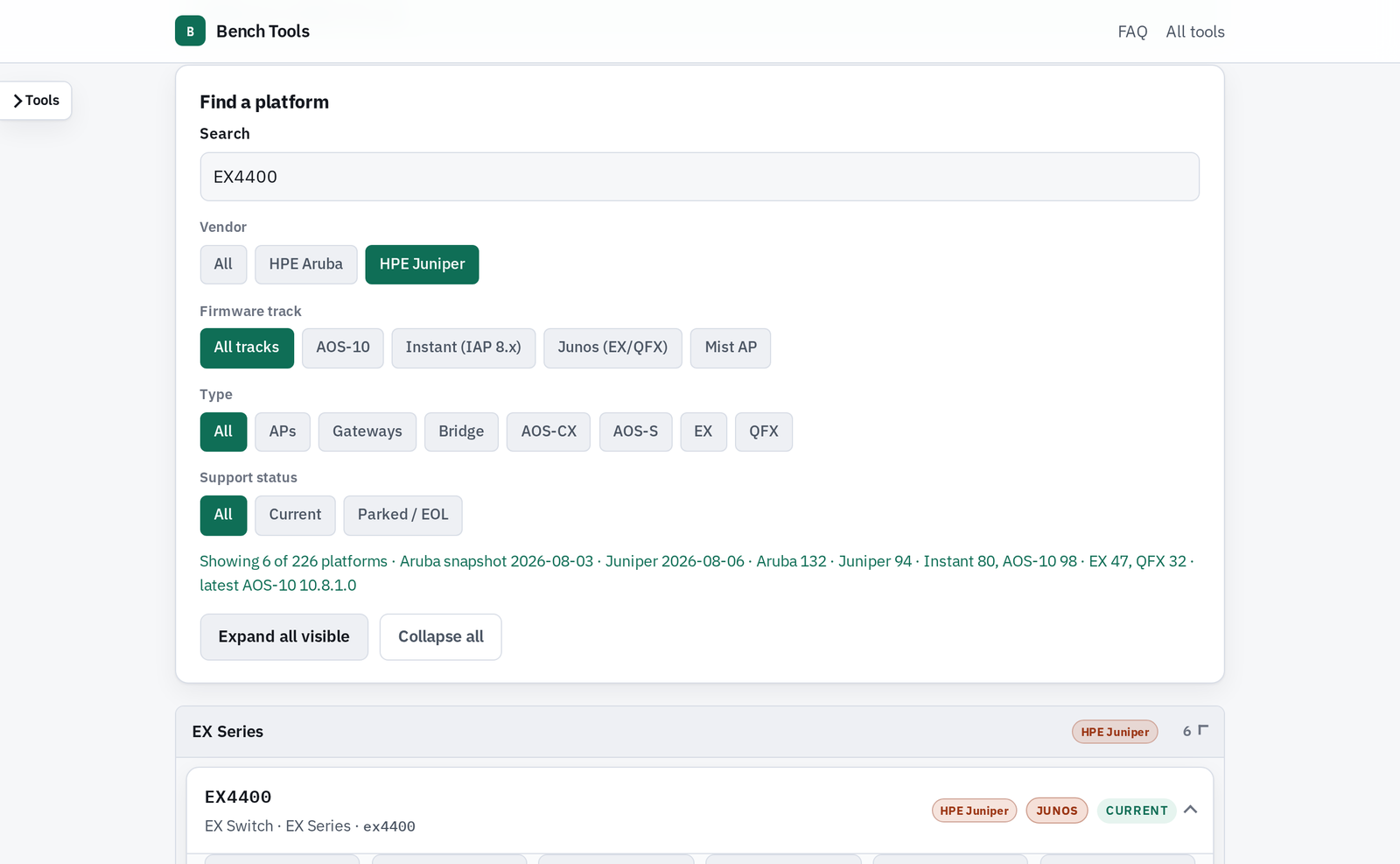
Hardware Platform Support puts HPE Aruba and HPE Juniper platforms on one page. Aruba cards show AOS-10 and Instant first and last supported versions. Juniper EX, QFX, and Mist APs link into Pathfinder with series and lifecycle.
It’s a snapshot. The filter bar shows the Aruba and Juniper snapshot dates, and the page links its sources: the New Central supported devices list, AOS-10 release notes, Classic Central’s Supported Instant APs, and Juniper Pathfinder.
Show-Tech Sticky Note
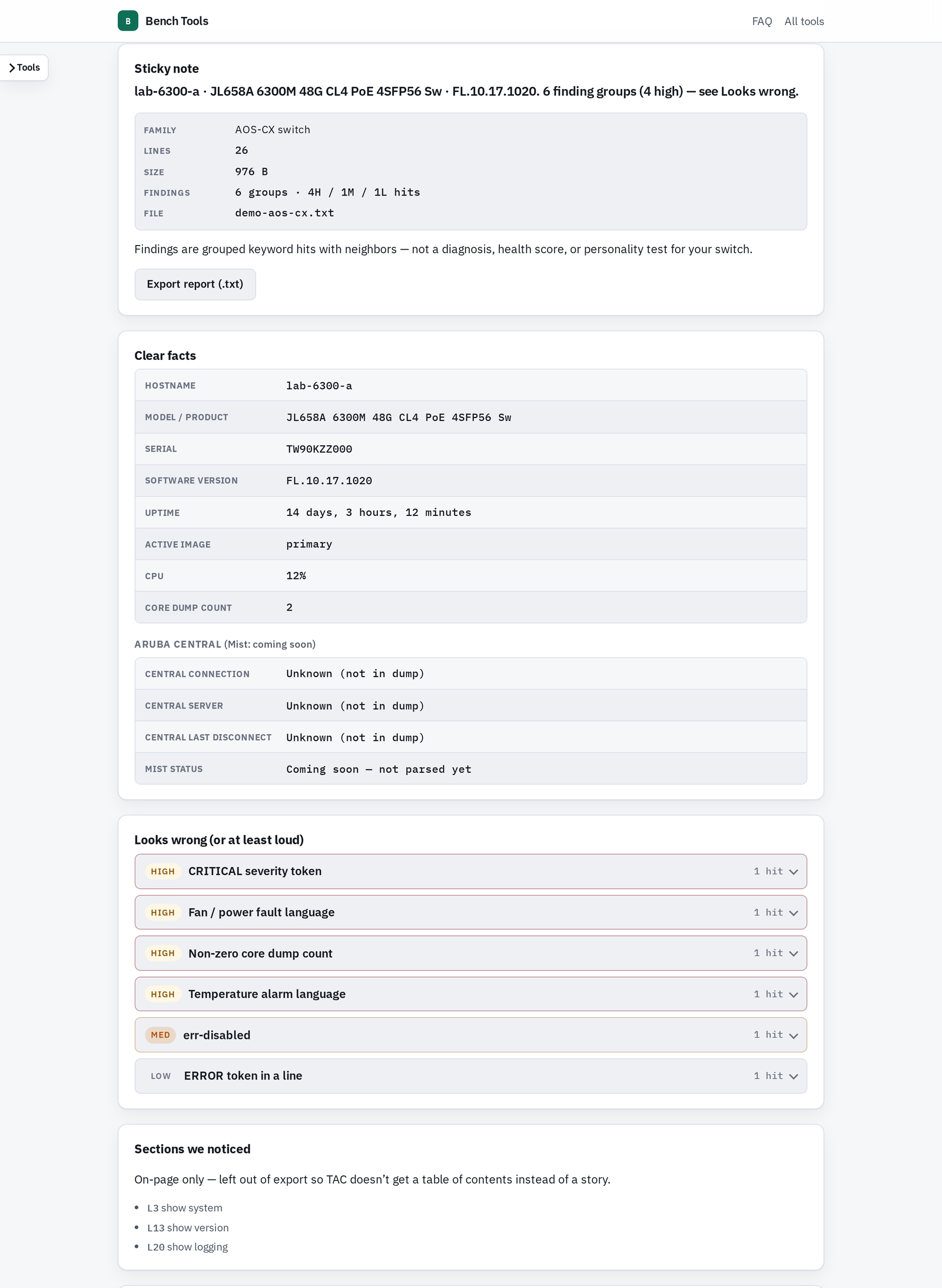
Show-Tech Sticky Note takes a long Aruba show tech (AOS-CX, AOS-10 AP, Instant, gateways, and more) and returns a short summary: what the box is, its code version, uptime, Central connection status, cloud KPIs (Central DNS failures, Activate timeouts, RADIUS reachability), and a “looks wrong” list grouped by severity.
Paste a dump or drop a .txt/.log file. It stays in the tab. There is no upload server and no cloud AI. It flags lines that already look wrong. It is not a root-cause engine.
Everything else on the bench
Explainers
- Client Roam: a sticky device, rooms and a hallway. Power, min rates, 802.11r/k/v.
- Client Auth: who the device actually talks to, with EAP-TLS, PEAP, TTLS, TEAP, and MAC auth.
Wrenches
| Tool | What it does | Data |
|---|---|---|
| CSR Generator | CSR plus matching private key, created in the browser. The CA gets the CSR. You keep the key. | Local utility |
| Cert Assembler | Key + leaf + CA chain into ordered PEM or PKCS#12 (PFX/P12). Add or strip a passphrase. | Local utility |
| Central Alerts & Insights | Searchable catalog of Aruba Central alerts and AI insights, with filters and thresholds. | Snapshot |
| MAC / OUI Lookup | Any MAC format in: vendor, bits, likely-randomized detection (2/6/A/E). Offline. | Snapshot (IEEE registry) |
| Hardware Platform Support | Aruba AOS-10 / Instant tracks plus HPE Juniper EX, QFX, and Mist APs with Pathfinder links. | Snapshot |
| Aruba Antenna Matrix | Which external antenna fits which Aruba AP: omni or directional, how many, which connectors. Built from HPE QuickSpecs. | Snapshot |
| AP Capacity | Airtime stories for one AP. Not a survey, not a design. | Calculator + curated AP list |
| Access Tracker Translator | ClearPass Access Tracker export in, a summary out: accept/reject, who, where, what they got. | Local parser + RADIUS dictionary |
| CLI Explorer | Aruba/HPE CLI as a searchable tree. AOS-CX 10.13–10.18 by switch series, AOS 10, ClearPass. | Snapshot |
| Show-Tech Sticky Note | Show-tech in, facts and “looks wrong” lines out. Not a fake RCA. | Local parser |
| Subnet Planner | Buildings × roles × device counts → a non-overlapping greenfield IPv4 plan with headroom. | Calculator |
| OpenAPI Docs | Vendor OpenAPI split into groups for Scalar: Central, ClearPass, AOS-CX, UXI, Mist, SDC, Axis. | Snapshot |
A note on OpenAPI Docs: the AOS-CX spec is whatever file the HPE developer hub currently publishes. The page notes it still reports 10.16 while the dropdown says 10.18. For the API your switch actually runs, open https://<switch-IP>/api on the switch itself. Each platform links to its official developer docs (for example the AOS-CX developer hub and Mist API getting started). Where the slice and the vendor docs disagree, the vendor docs win.
Wrap-up
Pick a tool and go: tools.emerickcc.com. Your inputs stay on your machine. Check the snapshot date where a catalog page shows one. Use the explainers to explain, not as the design. If a question keeps coming up and a page would answer it better, it may end up on the bench.